
How to Apply for Scholarships
tiger scholarship manager (tsm)
Tiger Scholarship Manager (TSM) is the UofM's online software system for departmental and private scholarships. Tiger Scholarship Manager will provide a fast and efficient way to apply for additional resources to support your educational goals at the University of Memphis. Complete your general scholarship application and apply for the recommended scholarships.
how to use tsm
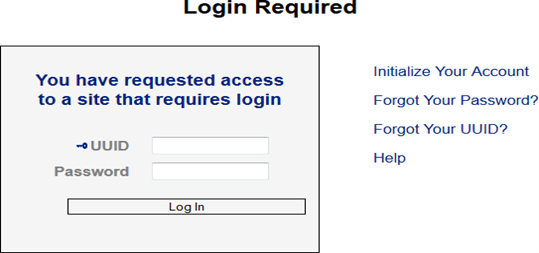
Visit the TSM website at, https://memphis.academicworks.com/ and log in with your UofM credentials.
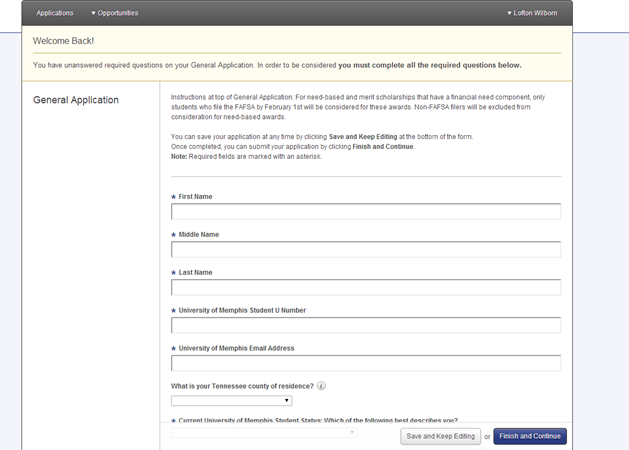
Read all of the instructions and complete the form on the website. The completion of the General Scholarship Application will help automatically populate scholarships you are eligible for based on your academic status and other variables.
When completed please click on the blue "Finish and Continue" button at the bottom of the page.
Note: questions with an asterisk are required.
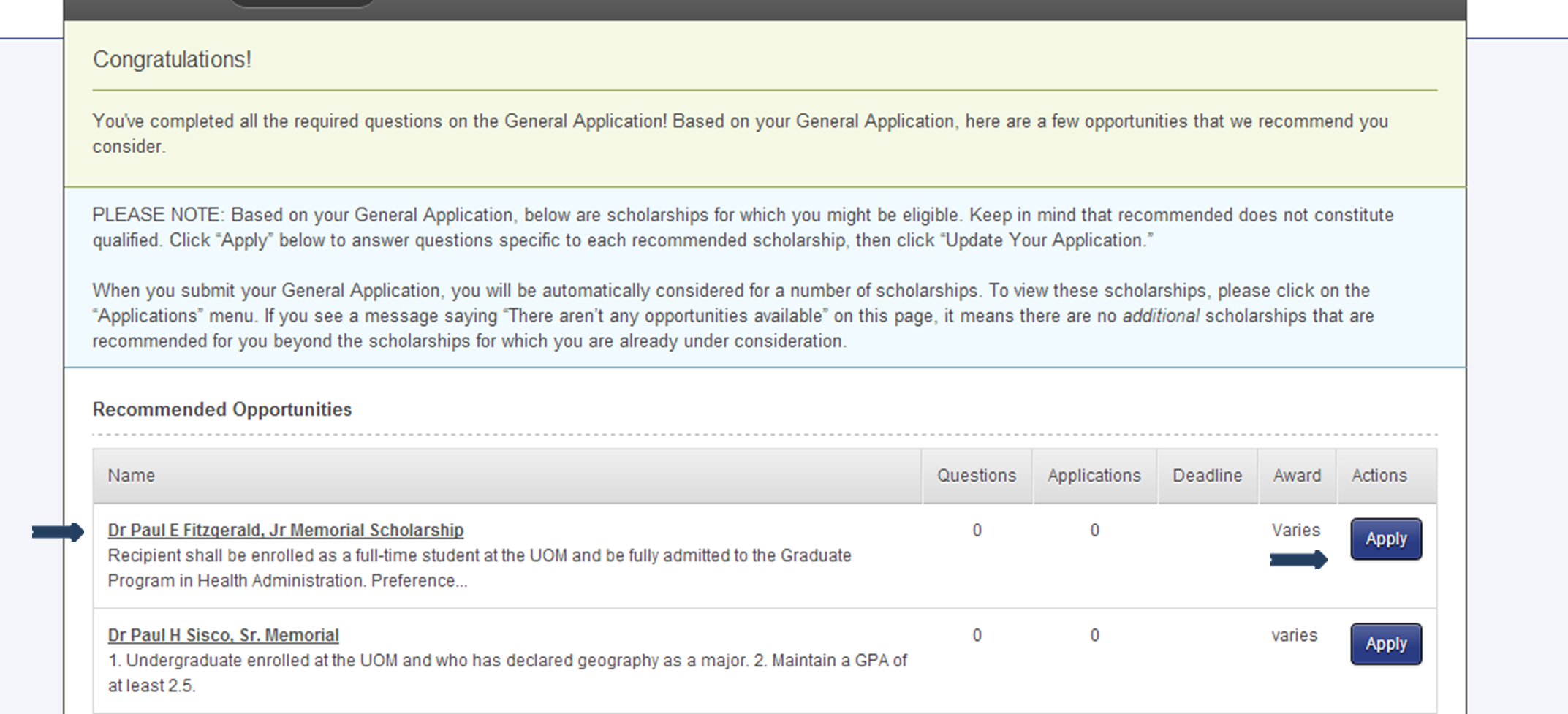
Based on the answers from your "General Scholarship Application" your "Recommended Opportunities" will be available for you to view.
For detailed information on a particular scholarship, click the scholarship name.
If you would like to apply for a scholarship, click on the blue "Apply" button beside the scholarship to get started. Complete / submit any additional questions then click the "Finish and Submit" button to formally submit your application for that scholarship opportunity.
Use the "Search" feature to search for all FCBE scholarships by typing "Fogelman College of Business and Economics" or type in the name of a specific scholarship you found on this website.
REMEMBER: not all scholarships are offered every year based on funding or how the scholarship was designed.

monitoring your scholarship applications
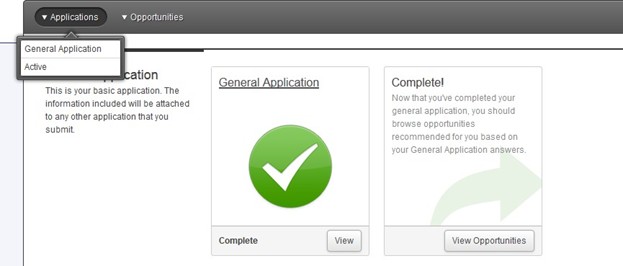
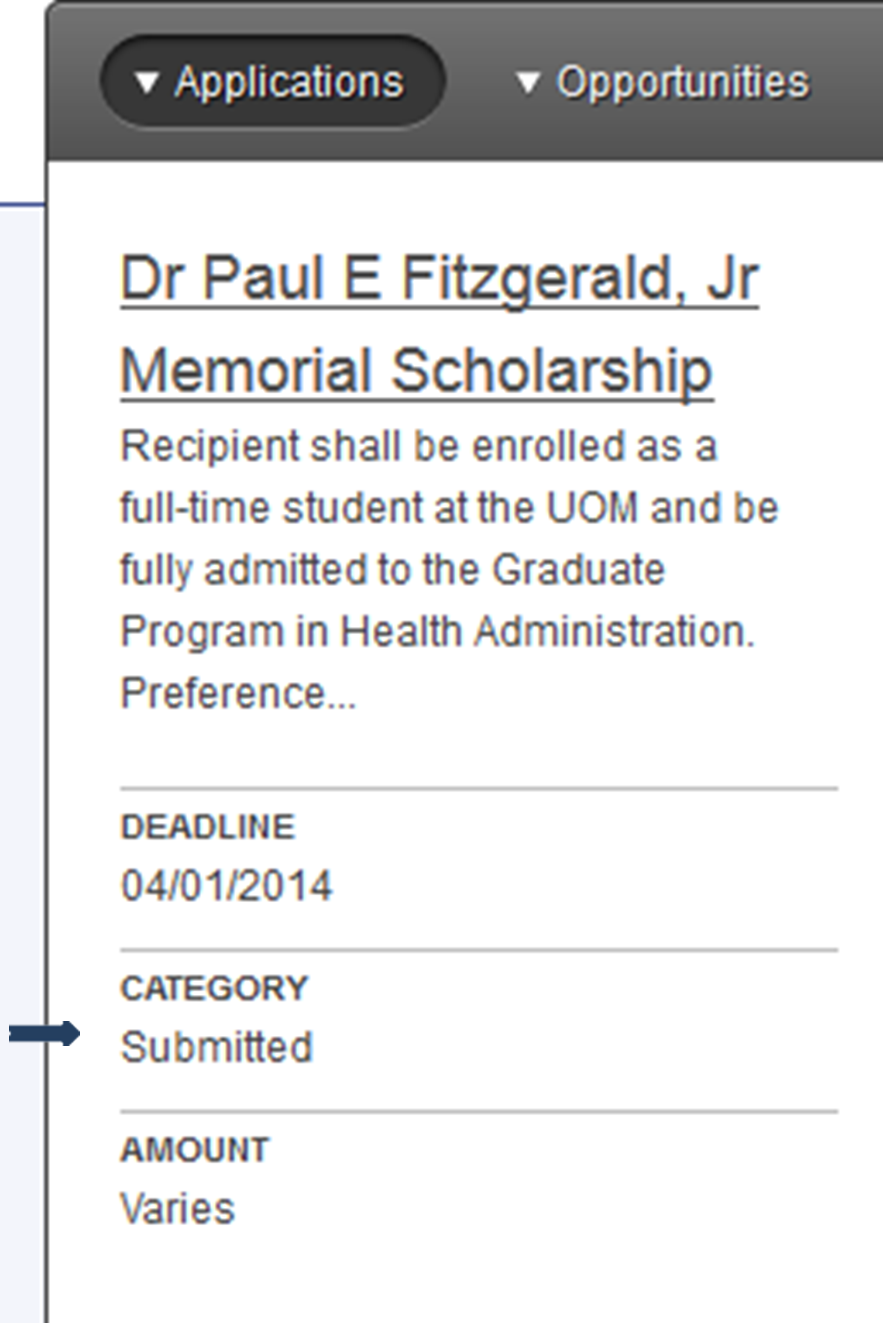
To monitor the progress of your scholarship application, click "Applications" on the tab in the upper left corner of the page and select "Active".
This will show you all of the recommended scholarships for which you’ve submitted an application.
For detailed information on the application status for a particular scholarship, click the scholarship name. Your status will be listed under "Category" on the left side of the page.
Category Explanation:
- Submitted - The application is ready for consideration by staff or reviewers.
- Offered - An award has been offered to an applicant, and he or she can now accept or reject this offer.
- Declined - An award has been rejected and the application process is complete for that applicant.
- Accepted - An award has been accepted and the application process is complete for that applicant.
Successful candidates will receive an email notifying them about a scholarship offer at the email address associated with their General Scholarship Application.
questions
For more information on scholarships, contact the FCBE Scholarship Office coordinator or visit the UofM Scholarship Office website
fcbe scholarship coordinator

Felicia Roddy-Jackson
FCBE Scholarship Coordinator
frddyjck@memphis.edu
Office: FAB 114
uofm scholarship office
201 Wilder Tower
The University of Memphis
Memphis, TN 38152
scholarships@memphis.edu | Phone: 901.678.3213
UofM Scholarship Office WebsiteTiger Scholarship Manager Website